Two-Factor vs Two-Step Verification: What’s the Difference?
Two-factor authentication and two-step verification both add an extra check when you sign in, on top of your password. The difference is in what kind of extra check each one uses. Two-step verification asks for two steps, but both steps can be the same kind of proof. Two-factor authentication asks for two different kinds of proof — and that small difference is what makes it stronger.
The two terms are often used as if they mean the same thing, and even large companies mix them up in their settings pages. Here is what each one actually means, why it matters, and what you should turn on for your own accounts.
The Basic Idea: Proving It Is Really You
Every sign-in check falls into one of three groups, based on what the proof is:
- Something you know — a password, a PIN, or the answer to a security question.
- Something you have — your phone, an authenticator app on that phone, or a physical security key.
- Something you are — a fingerprint, a face scan, or another biometric trait.
A plain password on its own is just one of these: something you know. One-factor sign-in. The whole point of adding a second step is to bring in a second proof, so that a stolen password alone is not enough to get into your account. Where the two part ways is whether that second proof comes from a different group or the same one.
What Two-Step Verification Means
It means the sign-in happens in two steps. Step one is usually your password. Step two is one more check before you are let in.
The catch is that the second step does not have to be a different kind of proof. A common example: you enter your password, and then the service asks you to answer a security question, or to type a code that was shown to you when you set the account up. Both of those are still something you know. If an attacker has gathered enough personal information about you — and security-question answers are often guessable or findable — both steps can fall together.
Many services also use two-step as a loose label for any sign-in that takes two actions, even when the second one genuinely is a different factor. That loose labelling is exactly why the two terms have become so tangled, and why you cannot always tell from the name alone what a service is really doing. You have to look at what the second step actually is.
What Two-Factor Authentication Means
Two-factor authentication — usually shortened to 2FA — is stricter. It requires proofs from two different groups from the list above. A password (something you know) plus your phone (something you have). Or a PIN (something you know) plus your fingerprint (something you are).
This is the same principle as a cash machine, which has used two factors for decades: your bank card, something you have, and your PIN, something you know. Neither one on its own is enough to take money out, and that is the point.
Because the two proofs are different in kind, an attacker has to beat two different kinds of security. Stealing your password in a data breach does not give them your phone. Lifting your phone does not give them your password. That separation is what makes it the stronger setup.
Common Second Steps, From Weakest to Strongest
Not all second steps are equal, even when they count as a genuine second factor. Here is the usual ranking, from the most easily beaten to the hardest:
- A code sent by text message (SMS). The code goes to something you have — your phone — so it does count as a second factor. But text messages can be intercepted, and phone numbers can be fraudulently transferred to a new SIM by criminals who talk a mobile company into a SIM swap. Better than nothing, weaker than the options below.
- A code sent by email. Similar idea, slightly different risk: if your email account itself is weakly protected, the whole chain rests on it.
- An authenticator app. Apps such as Google Authenticator, Microsoft Authenticator, or Authy generate a fresh six-digit code every 30 seconds, based on a secret stored on your device. The code never travels over the phone network, so SIM swaps and message interception do not help an attacker. This is the option most security professionals recommend for everyday accounts.
- A prompt on your phone. Some services simply show an Is this you? approve-or-deny prompt on a device you are already signed in on. Easy to use, and hard to fake, because the attacker would need the physical device.
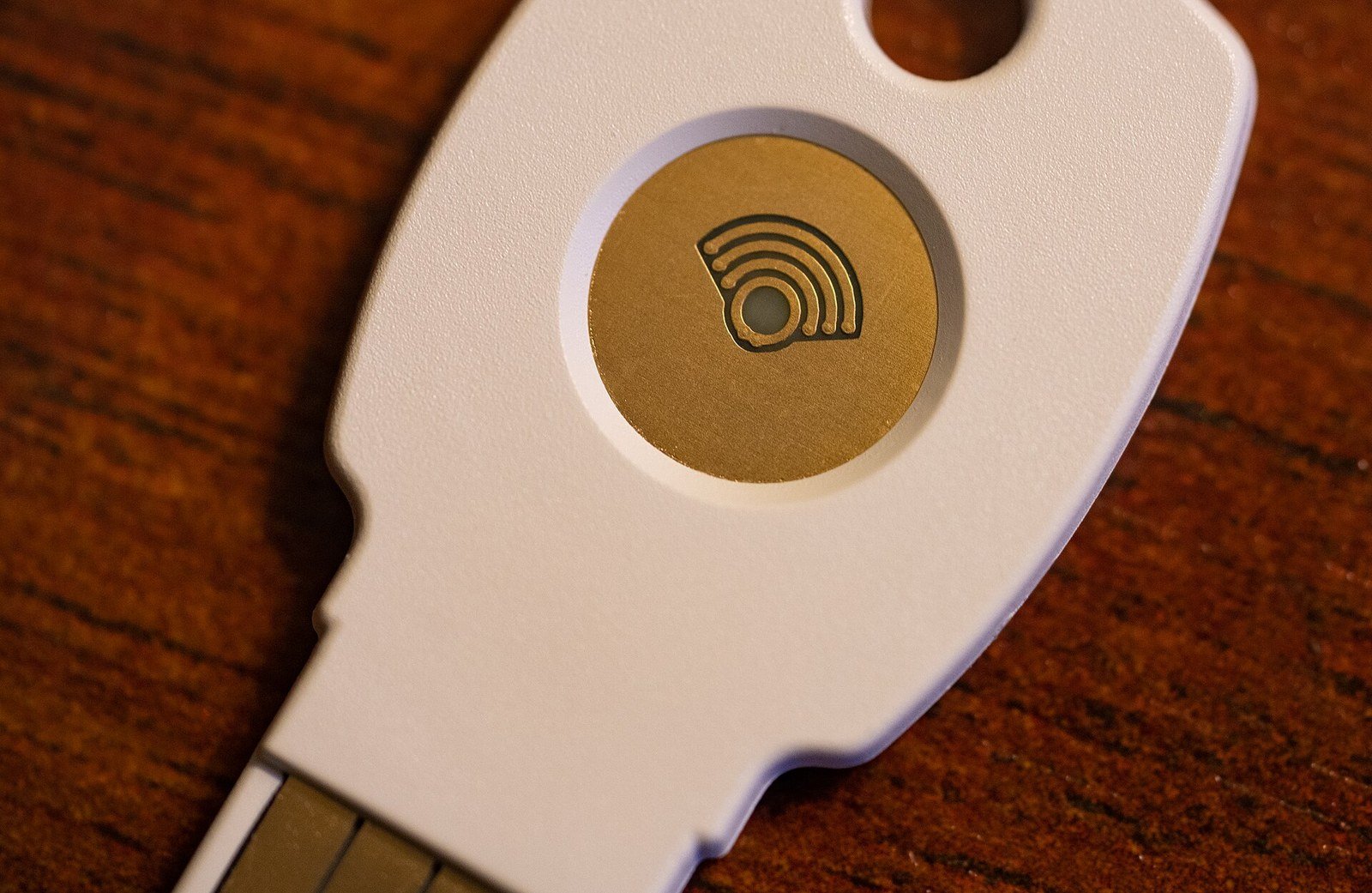
- A physical security key. A small USB or wireless key you plug in or tap when signing in. This is currently the strongest widely available option, because the key will only respond to the genuine website — a lookalike phishing page gets nothing it can reuse.
Whichever of these a service offers, turning on any of them is far better than leaving a password to work alone.
So Which One Should You Use?
If a service lets you choose, here is the plain answer:
- Use an authenticator app or a security key where you can. These give you the real thing and hold up against the common attacks.
- Text-message codes are an acceptable fallback. If SMS is the only extra step a service offers, use it anyway. A weaker second factor still blocks the most common attack of all — someone signing in with a password leaked from some other site’s breach.
- Be careful with services that only add a security question. That is two steps, but not really two factors, because both steps are knowledge. Treat such accounts as password-only and give them an especially strong, unique password.
- Save your backup codes. When you switch on any of these systems, the service usually offers one-time recovery codes. Keep them somewhere safe and offline — they are your way back in if you lose your phone.
- Protect your email account first. Your email is the master key: password resets for almost everything else arrive there. It deserves your strongest password and your best second factor before any other account.
It is also worth remembering that these sign-in checks protect one side of your connection — proving who you are — while a different technology protects the connection itself as your data travels. If you have ever wondered how your browser and a website set up that private, scrambled connection, our explanation of what an SSL certificate chain is walks through it in plain English. Good account security and a secure connection work together; neither replaces the other.
Why the Confusion Exists
Partly, it is history. Two-step verification was the name one very large email provider gave its system years ago, even though its system — a password plus a code on your phone — is technically two-factor. The name stuck, other companies copied it, and the word drifted to mean any sign-in with an extra step.
Partly, it is that the difference genuinely does not matter for the most common threat. The most common threat is a password stolen from one site being tried on many others. Against that, even a basic extra step, of almost any kind, stops the attack cold, because the attacker has the password and nothing else. The difference between the two starts to matter against targeted attacks — someone specifically after you, willing to research your security answers or attempt a SIM swap. For most people, most of the time, what matters is simply having the extra step switched on.
The Bottom Line
It comes down to this: two-step counts steps, two-factor counts kinds of proof. A sign-in can satisfy the first without satisfying the second — but never the other way round. When you set up your accounts, do not worry too much about which word the settings page uses — look at what the second step actually is, pick the strongest one offered, and turn it on, starting with your email.
Frequently Asked Questions
Is two-step verification the same as two-factor authentication?
Not exactly. Two-factor authentication always uses two different kinds of proof, such as a password plus your phone. The other just means there are two steps, and both could be knowledge-based, like a password plus a security question. In everyday use the names are often swapped, so check what the second step really is.
Which is better, an authenticator app or text messages?
An authenticator app is stronger. Text messages can be intercepted or redirected through a SIM-swap fraud, while app codes are generated on your device and never travel over the phone network. Text codes are still far better than no second step at all.
What happens if I lose my phone with my authenticator app on it?
Use the backup or recovery codes the service gave you when you turned the feature on — this is why saving them somewhere safe matters. Most services also let you approve the new device from another signed-in device, or go through an identity check to regain access.
Should I turn on two-factor authentication for every account?
Start with the accounts that matter most: email first, then banking and finance, then social media and shopping accounts that store your card details. Your email is the priority because password resets for nearly everything are sent there.
Does two-factor authentication make my account unhackable?
No security measure is absolute, but a genuine second factor blocks the most common account break-ins, which rely on stolen or reused passwords. Combined with a unique password for each account, it makes your accounts dramatically harder to break into.