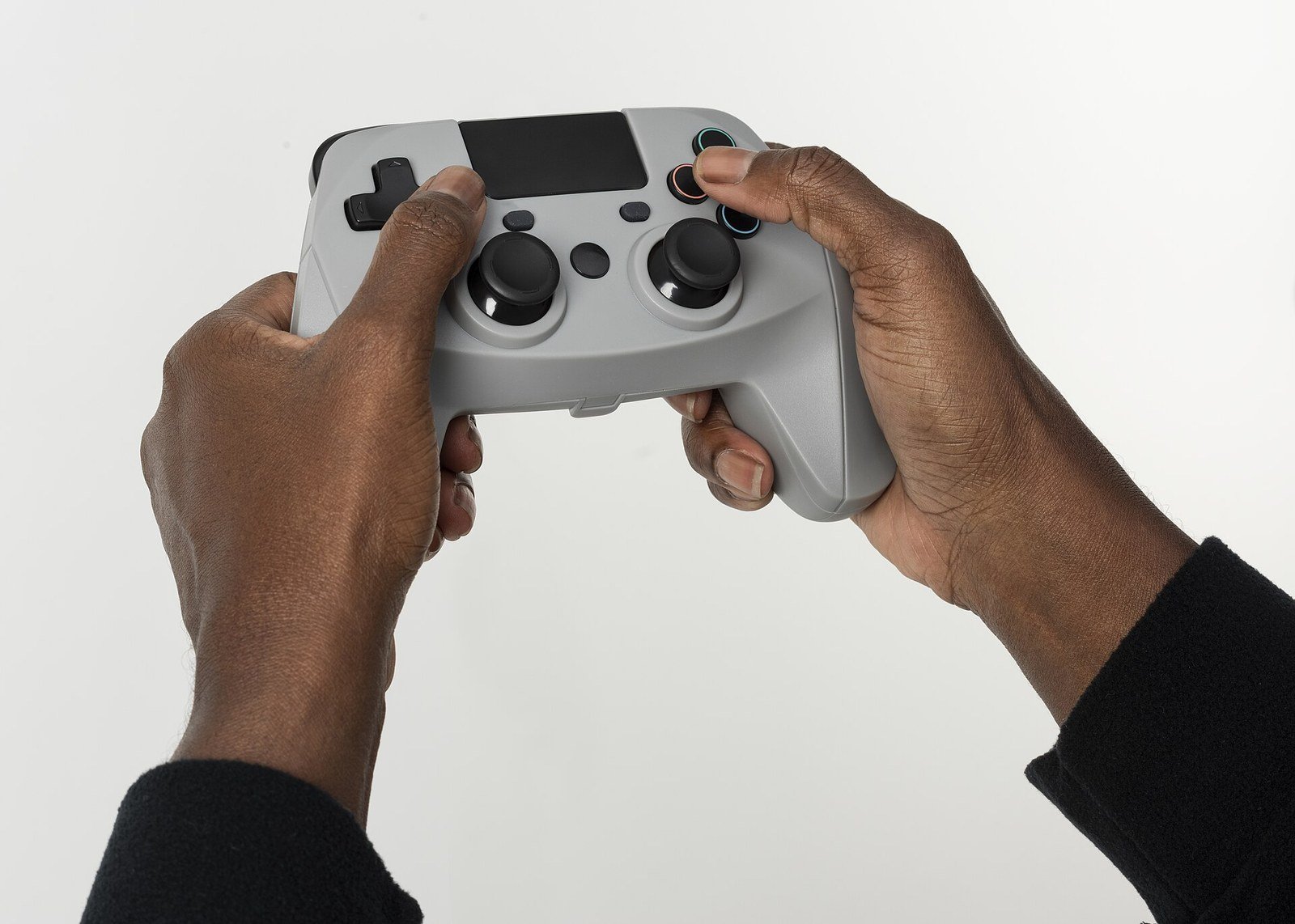
How to Fix Stick Drift on Any Controller: Causes and Fixes
Stick drift is when your character, cursor, or camera moves on its own even though you are not touching the analogue stick. The good news is that you can often fix stick drift — or at least reduce it — without buying anything: recalibrating the controller and raising the deadzone in settings clears up mild cases, cleaning around the stick fixes many others, and only stubborn drift caused by worn internal parts truly needs repair or replacement.
Work through the fixes below in order, from the free software steps to cleaning, and test the controller after each one. Stop as soon as the drift is gone.
What Stick Drift Actually Is
Your controller decides where you are pointing the stick by reading its position many times per second. When everything works, a stick sitting untouched in the centre reports “centre”, and nothing moves on screen. Drift happens when the controller reports a direction even though the stick is physically centred — the game believes you are gently pushing the stick when you are not.
That false signal is why drift usually appears as a slow, constant pull in one direction: a camera that creeps sideways, a menu cursor that will not sit still, a character who walks forward on their own. It can affect one stick or both, and it almost always gets worse gradually rather than appearing overnight.
Why It Happens: The Three Usual Causes
Worn-out position sensors
Most controllers measure stick position using parts called potentiometers — small components that change their electrical signal as the stick moves, with tiny contact surfaces that physically rub together every time you push the stick. After hundreds of hours of play, those surfaces wear down. The signals become noisy and inaccurate, and the centre position is exactly where the wear is worst, because that is where the stick spends most of its time. This is the most common cause of true drift, and unfortunately it is the one no setting can fully cure.
Dust, crumbs, and grime under the stick
The opening around the base of each stick is an easy entry point for dust, skin flakes, food crumbs, pet hair, and the general grit of a living room. Debris that works its way under the stick can interfere with the mechanism or the sensor, nudging the reading off centre. Drift caused by dirt is the most fixable kind — it often disappears completely after a proper clean.
The deadzone is doing nothing wrong — there is just none to spare
Every controller and game uses a “deadzone”: a small area around the centre where tiny inputs are deliberately ignored, precisely so that small inaccuracies do not move anything. If a game sets its deadzone very low (or lets you set it to zero for maximum responsiveness), even a healthy stick’s tiny imperfections become visible drift. In these cases the controller may be nearly fine, and the fix lives entirely in the settings.
Fix 1: Recalibrate the Controller
Before opening anything or changing settings, recalibrate. Calibration re-teaches the controller or console what “centre” and “fully pushed” currently are, which corrects drift caused by the readings drifting over time.
Where you find it depends on your platform: consoles have a controller calibration tool somewhere in their system settings (look under controllers, devices, or accessories), and on a PC you can calibrate through the operating system’s game controller settings, while some games and launcher apps have their own calibration screens. Follow the on-screen steps exactly — typically you leave the stick alone, then move it in full circles and to its extremes when asked. Then test in a game or in the calibration screen itself, watching whether the indicator sits still at centre.
Recalibration will not repair worn parts, but it costs nothing and genuinely fixes a surprising number of mild cases.
Fix 2: Increase the Deadzone
If calibration helps only partly — or the drift is slight — raising the deadzone is the most practical fix there is. A slightly larger deadzone tells the game to ignore small inputs around the centre, which swallows the false signal from a mildly worn or dirty stick.
Many games expose this in their controller settings, labelled “deadzone”, “inner deadzone”, or “axial dead zone”. Increase it a little at a time — one or two steps — and test between changes. Too large a deadzone makes fine aiming feel sluggish, because the stick has to travel further before anything responds, so find the smallest value that stops the drift. Some platforms also allow a system-level deadzone adjustment for certain controllers, which applies everywhere.
Think of this as a management fix rather than a cure: the wear is still there, and you may need to raise the deadzone again months later. But it can extend a controller’s useful life by a long time, for free.
Fix 3: Clean Around the Stick With Compressed Air
If settings do not solve it, cleaning is next — starting with the least invasive method. Power the controller off first. Using a can of compressed air with its thin straw attached, blow short bursts around the base of the drifting stick, aiming into the gap between the stick and the shell. Rotate the stick in a slow full circle as you go, and push it to each side, so debris can escape from every angle.
Then work the stick: click it in (if it clicks), rotate it several times, and move it fully in every direction a dozen times. This grinding motion alone sometimes clears whatever was lodged inside. Reconnect and test before assuming it failed — dirt-related drift frequently vanishes at this stage.
A few safety notes: keep the can upright so it does not spray liquid propellant, use short bursts rather than one long blast, and do the cleaning away from your face.
Fix 4: Clean With Isopropyl Alcohol
If air is not enough, a deeper clean uses high-strength isopropyl alcohol (90% or higher is preferred, because it evaporates quickly and leaves little residue). Power the controller off and remove its batteries or disconnect it.
Dampen — do not soak — a cotton swab with the alcohol, and work it around the base of the stick, getting into the gap. Move the stick in all directions and rotate it as you clean, so the swab reaches the surfaces underneath, and repeat with fresh swabs until they come away clean. You can also apply a small amount of alcohol and then repeatedly work the stick to help loosen grime from the mechanism itself. Let the controller dry fully for several minutes before switching it back on; the alcohol evaporates fast, but patience costs nothing.
Be careful: use only a small amount of liquid, keep it away from the controller’s other openings where possible, and never use water or household cleaners, which leave residue and can damage the electronics. Alcohol cleaning is a well-established trick for drift and sticky buttons, but it is still a liquid near electronics — treat it with respect.
Fix 5: Opening the Controller (Advanced — Read the Warning First)
Guides exist for opening controllers to clean the sensor mechanism directly, or even to replace the stick module entirely. For someone comfortable with small electronics, this can fully cure wear-related drift when the module is replaced.
But be honest with yourself before starting: opening a controller almost always voids its warranty, the internals contain small screws, fragile ribbon cables, and clips that snap if forced, and a mistake can turn a drifting controller into a dead one. If your controller is still under warranty, do not open it — contact the manufacturer or retailer instead, because drift on a fairly new controller is exactly the kind of fault warranty and consumer protection exist for. Even out of warranty, weigh the price and risk of parts and tools against professional repair and replacement; for many controllers, replacement parts plus your time come close to the cost of a new controller on sale.
When Repair or Replacement Is the Honest Answer
If you have recalibrated, raised the deadzone, and cleaned thoroughly, and the drift is still strong, the cause is almost certainly worn potentiometers. No setting or spray will restore worn contact surfaces. At that point the realistic choices are:
- Warranty claim, if the controller is still covered — always check this first, even if you assume it has expired.
- Professional repair, worthwhile mainly for expensive or special-edition controllers.
- Replacement, the sensible option for standard controllers when repair quotes approach the price of a new one.
There is no shame in that outcome. Analogue sticks are moving parts with rubbing surfaces; they are, by design, among the first things on a controller to wear out. The fixes above still earn their keep — deadzone adjustments and cleaning delay that day considerably, and plenty of “broken” controllers turn out to need nothing more than compressed air and five patient minutes.
Frequently Asked Questions
Can stick drift fix itself?
Rarely. Drift caused by a temporary software glitch can disappear after recalibration or a restart, and debris can occasionally work itself loose. But wear-related drift never heals — it slowly worsens, which is why catching it early with deadzone adjustments and cleaning is worthwhile.
Does the deadzone fix damage my controller?
No. The deadzone is purely a software setting; raising it harms nothing and can be lowered again at any time. The only downside is feel: too large a deadzone makes small, precise movements less responsive.
Is stick drift covered by warranty?
In many cases, yes — drift appearing during the warranty period is generally treated as a fault rather than misuse. Check your coverage before opening the controller or paying for repair, because opening it yourself can void that protection.
Why does drift always pull in the same direction?
Because the wear or dirt affects one specific part of the sensor’s travel. The false reading is consistent — the stick reports being slightly off-centre in the same spot every time — so the on-screen movement creeps the same way until the cause is addressed.
How can I make my next controller last longer?
Keep controllers in a case or drawer away from dust and crumbs, avoid eating over them, wash the worst of the grime off your hands before long sessions, and store them where the sticks are not being pressed by anything. None of this prevents eventual wear, but clean controllers genuinely drift later than neglected ones.